
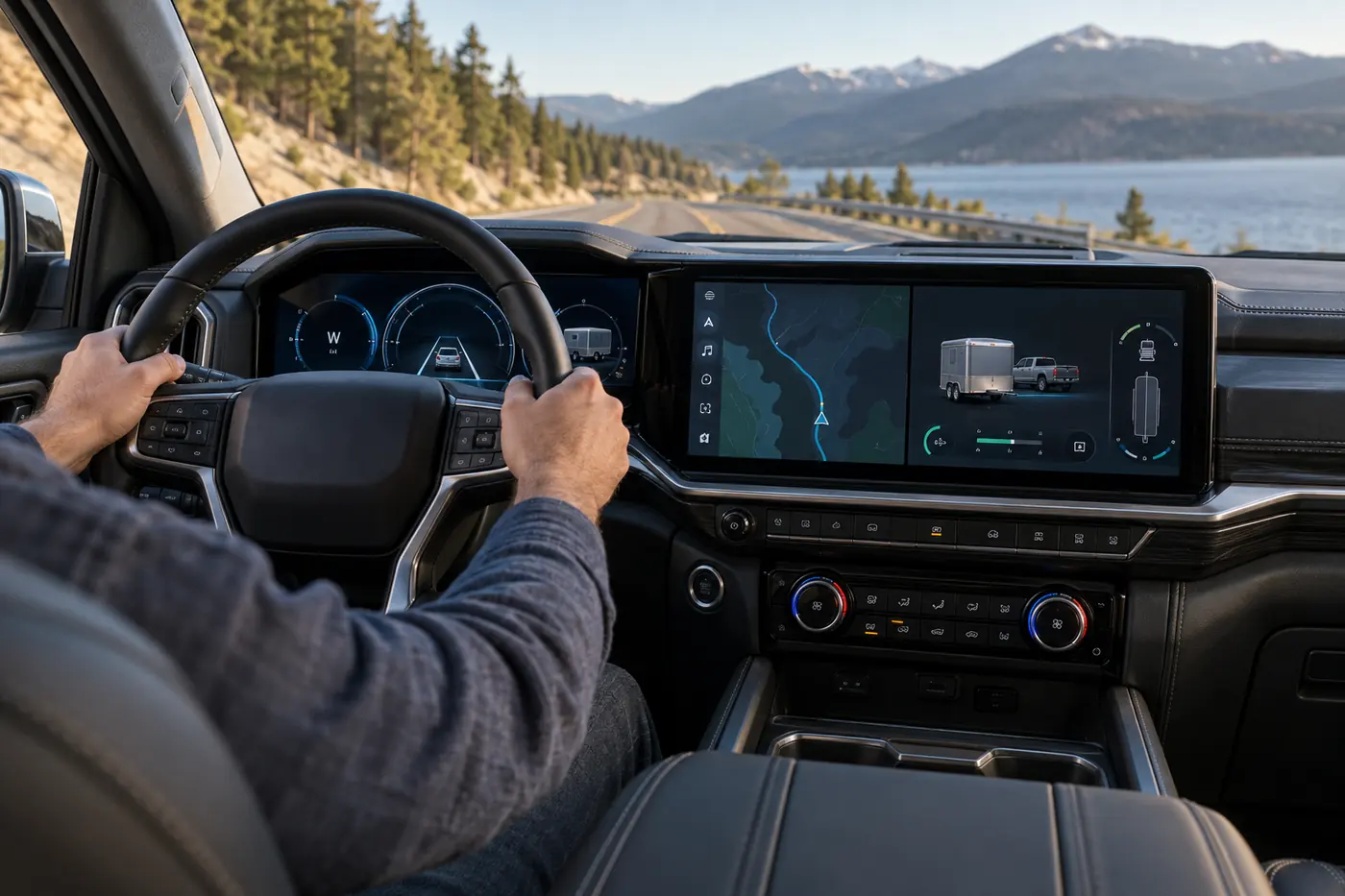
The 2027 Silverado and Sierra new interface is designed to put maps, trailering information and vehicle controls in one more consistent digital cockpit. General Motors announced the system on September 15, 2026 for its next-generation Chevrolet Silverado and GMC Sierra light-duty pickups. It says the new design will expand across more of its portfolio later.
For U.S. truck buyers, one detail cuts through the screen-size marketing: GM explicitly says the new pickup interface integrates Apple CarPlay and Android Auto alongside native truck functions. That does not establish that every trim, phone or connected feature will work identically. It is a reason to test the exact truck and equipment before buying.
Quick answer: The 2027 Silverado and Sierra new interface debuts in GM’s light-duty pickups are the first vehicles named for its new interface. GM describes a split-view map, quick controls, truck-specific trailering tools, available driver-assistance visualization and integrated CarPlay/Android Auto. Check the exact trim, option list, phone compatibility and subscription terms at the dealer.
What GM Confirmed About the 2027 Silverado and Sierra New Interface
GM says the software foundation is intended to scale across gas, diesel and electric vehicles. In the 2027 Silverado and Sierra new interface, a multi-view home screen can place a large interactive map beside media, fuel-efficiency data, vehicle status or trailering information. The driver display can change according to the driving task. The system is designed for over-the-air updates, but the company has not promised that every feature will arrive in every truck through a future update.
GM also describes quick-access controls for climate, audio and camera views, with some physical controls retained. Those details matter because a large display is not automatically easy to use while driving. The real test is whether common actions need fewer glances and steps in the vehicle you actually buy.
Does the 2027 Silverado and Sierra New Interface Have CarPlay?
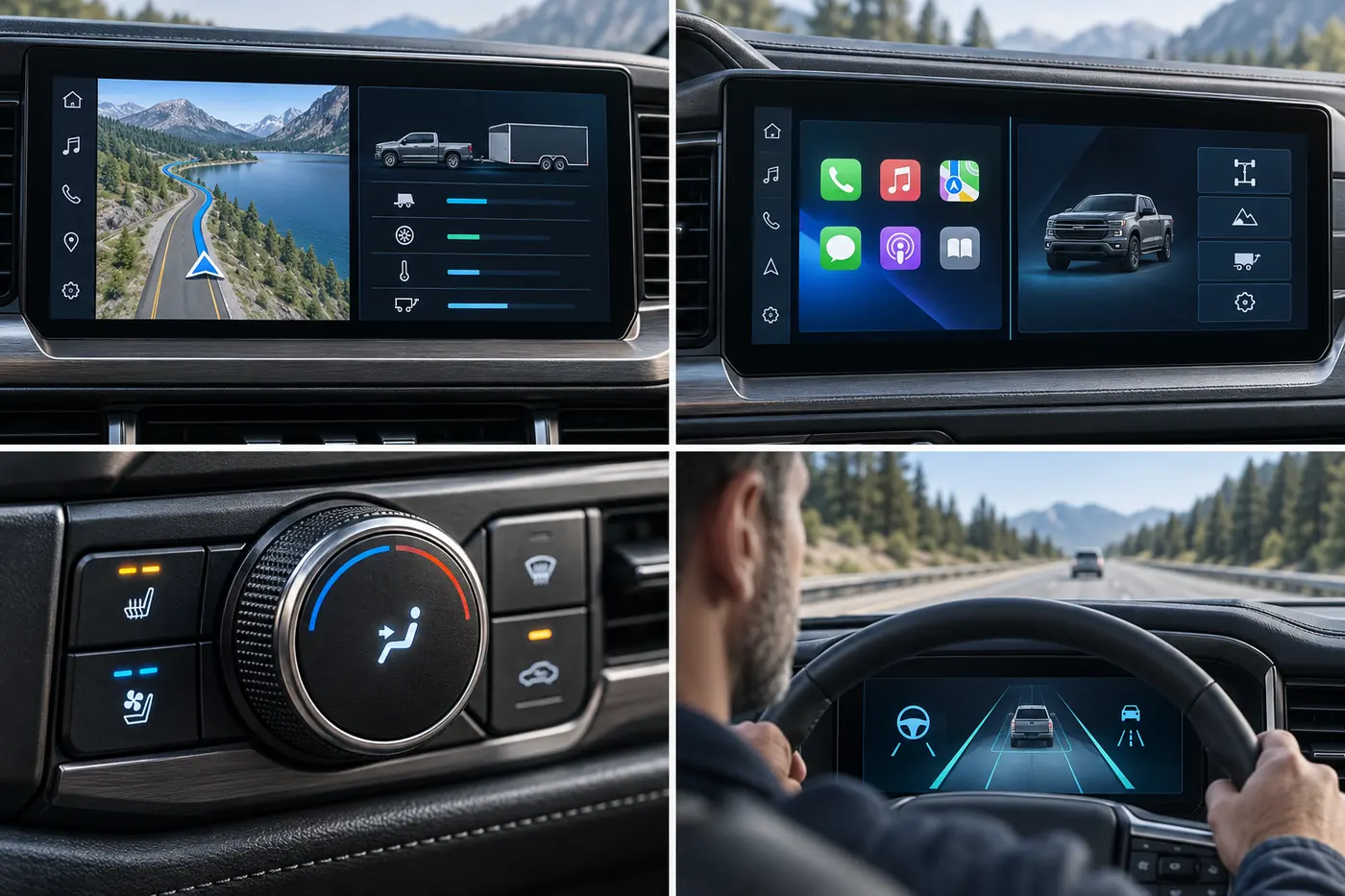
GM’s September 15 announcement says its new pickup UI integrates updated Apple CarPlay and Android Auto. Phone content can appear in a large card alongside native functions such as trailering and vehicle status. GM’s accompanying interview with software and design executives explains that customers asked for familiar phone functions without losing access to truck controls.
That is the confirmed pickup-specific statement. Do not assume it changes the software strategy for every GM brand or vehicle. Before ordering, ask the dealer to demonstrate the exact truck’s CarPlay or Android Auto connection with your own phone, check whether a cable or active data plan is required, and verify which screen layouts are available on that trim.
What Changes for Towing and Driver Assistance?
GM says the display can bring trailer information into the instrument cluster and a card on the center screen when a trailer is connected. It also describes a Hitch View camera, available terrain views and a phone-based trailer-light check. These are potentially useful tools, but availability depends on configuration and equipment. A buyer should verify the specific camera package, hitch setup and trailering app support rather than assuming every 2027 truck has the complete suite.
GM also describes a 3D visualization associated with available Super Cruise. The display can depict traffic, lane markings and objects during compatible operation. It does not turn driver assistance into self-driving. GM states that the driver must remain attentive and follow system limitations, compatible-road rules and any plan or trial conditions.
Six Checks Before Buying a 2027 Silverado or Sierra for Its Screens
1. Test daily tasks while parked
Adjust cabin temperature, change audio, zoom a route, open a camera and return home. Count how many steps each action takes. Try the interface in sunlight and with polarized sunglasses if you use them.
2. Bring your own phone
Pair the exact iPhone or Android device you use every day. Confirm map, calls, audio and voice functions. Check how the projection shares space with native truck information, and whether all family drivers can switch profiles smoothly.
3. Ask what is standard on your trim
Compare a window sticker and order guide, not an image of a preproduction flagship truck. Screen sizes, passenger displays, cameras, driver assistance and app features may differ. GM’s press images are marked as preproduction, so final production details should be checked locally.
4. Check subscriptions and data requirements
Ask which features work without a paid data plan, which require OnStar or another subscription, and what changes after a free trial. Get the terms in writing. Software convenience has an ownership cost if a frequently used function depends on recurring payments.
5. Demonstrate the towing workflow
If you tow, connect or simulate a compatible trailer and inspect the actual truck’s camera and monitoring views. Software cannot change the truck’s tow rating, payload or required equipment. Verify those separately for the exact configuration.
6. Keep driving safety ahead of novelty
A wide screen is useful only when it supports attention to the road. Ask a dealer to demonstrate what remains visible during navigation, calls and available driver assistance. Read the owner’s manual before relying on a new feature.
How This News Fits a Truck Purchase
The new interface may make a 2027 truck more appealing than a discounted prior-year model, but the screen alone should not decide the purchase. Compare the out-the-door price, engine, towing configuration, insurance, fuel cost and seat comfort. For a used alternative, use Carvul’s inspection checklist and vehicle-history guide before committing.
When comparing finance offers, keep the screen package’s price separate from the truck’s base price and total borrowing cost. A feature can be useful without justifying a substantially longer loan. Carvul’s loan preapproval guide explains the comparison method.
Frequently Asked Questions
Is CarPlay confirmed for the new Silverado and Sierra?
GM says its newly announced pickup interface integrates Apple CarPlay and Android Auto. Verify compatibility and availability on the exact production truck you are considering.
Does Super Cruise make the truck autonomous?
No. GM describes it as available driver assistance and says drivers must remain attentive and follow the operating restrictions and terms.
Will every GM vehicle get this interface?
GM says the architecture is intended to expand across the portfolio, but its September 15 release names the 2027 Silverado and Sierra light-duty pickups as the first vehicles. No universal rollout date for every model was stated.
Bottom Line
The 2027 Silverado and Sierra new interface is a meaningful product announcement because it combines truck-specific tools with familiar phone projection in the 2027 Silverado and Sierra. Buyers should verify the exact truck’s hardware, software, connected-service terms and everyday usability rather than treating an attractive demonstration as a guarantee across trims.
Sources reviewed September 16, 2026: GM product announcement and GM interface interview. Images are Carvul illustrations, not photographs or screenshots of a production GM interface.