
GM Digital Key is rolling out to selected Cadillac electric vehicles during September and October 2026, with additional Cadillac, Chevrolet and GMC models scheduled to follow in December. The feature can place a compatible vehicle key in a supported phone or smartwatch wallet, allowing certain owners to unlock, start and share access without handling the physical fob during normal use.
Quick answer: GM says the first rollout covers selected 2025-2027 Cadillac LYRIQ, 2026-2027 OPTIQ and 2027 VISTIQ vehicles. More models are scheduled for December. Compatibility depends on the exact vehicle, rollout timing, account setup and supported device. A model-year match alone does not guarantee that the feature is active on a particular VIN today.
What GM Announced
General Motors announced the digital-key rollout on September 23, 2026. The company says owners can add a version of a vehicle’s physical key to a compatible digital wallet after signing into the vehicle app and completing setup inside the vehicle with the physical key fob present.
GM describes the system as using Bluetooth and ultra-wideband technology. Supported functions can include approaching the vehicle to unlock it, walking away to lock it, starting the vehicle and sharing a key with other compatible devices. Some wallet controls may also provide access to functions such as the trunk or climate settings.
The rollout is phased. That means two vehicles with similar equipment may receive access at different times, and owners should rely on the notification in their GM-brand app rather than assuming the option is already available.
GM Digital Key Compatible Vehicles
GM’s September announcement lists these vehicles for the initial September-through-October phase:
- 2025-2027 Cadillac LYRIQ;
- 2026-2027 Cadillac OPTIQ; and
- 2027 Cadillac VISTIQ.
The company says availability will expand in December to include:
- 2026-2027 Chevrolet Tahoe;
- 2026-2027 Chevrolet Suburban;
- 2026-2027 GMC Yukon;
- 2026-2027 GMC Yukon XL;
- 2027 Cadillac Escalade;
- 2027 Cadillac Escalade IQ and IQL; and
- 2027 Cadillac CELESTIQ.
GM also says more vehicles will be added over time. That statement is not a complete promise for every current Chevrolet, Buick, GMC or Cadillac model.
Seven Essential GM Digital Key Checks
- Confirm the exact model year and trim.
- Check whether the feature is active for the specific VIN.
- Verify that the phone or watch supports ultra-wideband where required.
- Keep the physical fob available during initial setup.
- Understand how shared keys can be revoked.
- Test access before relying on it away from home.
- Ask how keys are removed before selling or trading the vehicle.
These checks matter because digital access involves the vehicle, mobile device, app account and wallet platform. A compatible phone by itself is not enough.
Which Phones and Watches Are Supported?
GM’s announcement identifies compatible ultra-wideband devices in several product families. It lists iPhone 11 or newer, Apple Watch Series 6 or newer and Apple Watch Ultra models. It also lists selected Google Pixel Pro and Fold devices beginning with the Pixel 6 Pro, plus selected Samsung Galaxy S, Note and Z-series devices.
Device support can change through hardware, operating-system and wallet updates. Buyers should check the current Apple, Google or Samsung support documentation and the vehicle app before making a purchase decision.
Do not assume that every base version of a phone family has the same radio hardware as its Pro version. Carrier, region and software-version differences may also affect setup.
How Setup Is Supposed to Work
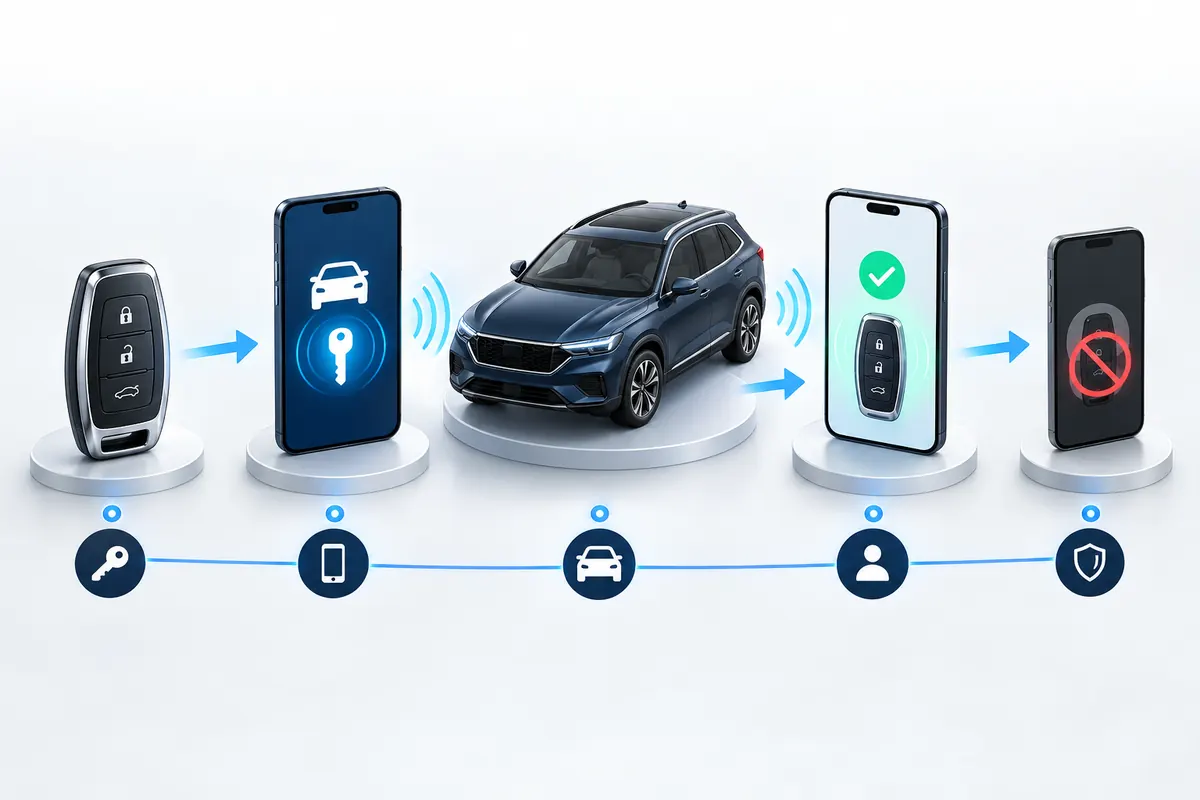
According to GM, the owner first downloads and signs into the appropriate vehicle app. Setup occurs while the owner is inside the OnStar-connected vehicle with the physical key fob nearby. The app then guides the user through adding the digital key to a compatible wallet.
That procedure helps link the mobile credential to an authorized vehicle account and physical key. Owners should follow the prompts shown for their exact brand and vehicle rather than a third-party video made for another model.
If setup fails, check that the vehicle is in a safe parked location, the phone has current software, Bluetooth is enabled and the correct account is signed in. Do not erase existing keys or disconnect the 12-volt battery merely to force activation.
Can You Share a GM Digital Key?
GM says a key can be shared with up to seven additional devices through supported sharing methods. The exact user experience depends on the phone ecosystem and wallet.
Before sharing, understand what level of access the recipient receives and how to revoke it. A household member who can unlock and start the vehicle effectively has possession-level access even without the physical fob.
Use a secure device passcode, biometric protection and current account recovery information. Avoid sending access to an unknown buyer before payment and identity checks are complete.
What Happens If the Phone Battery Dies?
GM’s announcement explains compatible devices and wallet access but does not provide one universal backup procedure for every vehicle and phone combination. Owners should read the vehicle’s digital-key instructions and owner’s manual.
Keep the physical fob available until the system has been tested in normal conditions. Also learn whether the phone offers a power-reserve feature and whether that feature is supported by the vehicle. Do not assume every dead-phone situation works the same way.
Road trips, valet parking, repair visits and airport parking can all expose weak points in a phone-only routine. A backup plan is more useful than discovering a limitation when the vehicle is far from home.
Security and Privacy Questions
GM says Bluetooth and ultra-wideband support the experience. Ultra-wideband can help a system estimate the location of a compatible device more precisely than a basic Bluetooth connection, but no access system should be treated as risk-free.
Owners should protect the GM account, email account, phone unlock code and wallet. Enable available multifactor authentication, review shared keys and remove access for devices that are lost, sold or no longer used.
Digital-key convenience does not replace ordinary theft precautions. Store the physical fob securely, keep account alerts active and contact the manufacturer promptly if a device or credential is compromised.
Used-Car Buyer Checks
A used vehicle advertised with digital key needs more verification than a feature-list screenshot. Before purchase:
- confirm eligibility using the exact VIN and current vehicle software;
- make sure the seller removes personal profiles and shared keys;
- verify that both promised physical fobs are present;
- complete ownership and app-account transfer correctly;
- test lock, unlock and start functions after the transfer; and
- ask whether paid connected-service requirements apply.
Never let a digital key distract from the mechanical, title and history checks that matter more. Follow Carvul’s vehicle history report guide and used-car test-drive checklist before committing.
For a private-party transaction, Carvul’s private-party used-car buying guide covers identity, title, payment and handoff risks.
Dealer Questions to Ask
Ask the dealer to demonstrate the feature on the actual vehicle rather than a showroom model. Useful questions include:
- Is GM Digital Key active on this VIN now?
- Which phones and watches have been tested with it?
- Are software updates pending?
- Are both physical key fobs included?
- Does the feature require an active connected-services plan?
- How are prior owner credentials removed?
- What is the backup entry and starting procedure?
Get feature promises in writing when they affect the purchase decision. A salesperson’s statement that a capability is coming later is not the same as an active factory feature.
Selling or Trading an Eligible GM Vehicle
Digital access should be treated as part of the ownership handoff. Before a sale or trade, review the vehicle app and wallet for active keys, remove shared users, sign out of personal profiles and follow GM’s instructions for resetting the vehicle. The buyer should then enroll through a separate account after the title and physical keys have changed hands.
Do not rely only on deleting the app from a phone. Removing an app icon does not necessarily revoke every credential associated with an account or another shared device. Confirm that the vehicle no longer recognizes the seller’s digital key, and retain both physical fobs for the formal handoff.
A buyer should perform the same check in reverse. Ask the seller to show that prior digital keys and driver profiles have been removed. Then pair the buyer’s phone while the vehicle and physical fob are present. If the account transfer cannot be completed, contact the brand’s support channel or dealer before depending on phone-based entry.
Is GM Digital Key Worth Waiting For?
For buyers already considering an eligible vehicle, the feature can add convenience. It may be especially useful for households that share a vehicle or owners who prefer a phone and smartwatch workflow.
It should not determine the entire purchase. Price, reliability, charging or fuel needs, insurance, visibility, comfort and service access remain more important. Digital features can also change through software and device policies.
Compare the complete vehicle and the out-the-door price. Carvul’s car-buying costs guide can help keep attention on taxes, fees, financing and ownership costs.
Bottom Line
GM Digital Key is a real phased rollout, not a feature that is automatically active across every recent GM vehicle. Selected Cadillac EVs come first, with specified Chevrolet, GMC and Cadillac models scheduled to follow in December 2026.
The safest buyer approach is to verify the exact VIN, current rollout status, supported device and backup procedure. Keep physical keys accounted for, protect connected accounts and complete a proper credential reset whenever ownership changes.
Sources: GM’s official Digital Key announcement, Apple Car Key information, and Google digital car key help.